If the Size Chart is not displaying on your storefront, please check the following possible reasons:
1. The Lavar app embed is not enabled
Go to Online Store → Theme Editor → App Embedded to check if the Lavar Widgets is enabled:
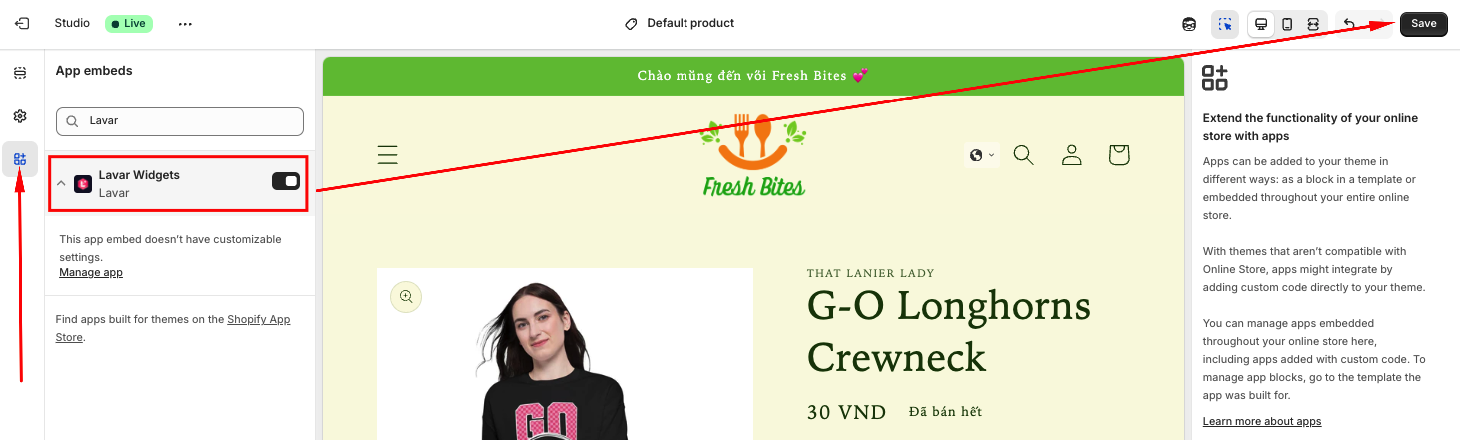
Please refer to this article for detailed instructions.
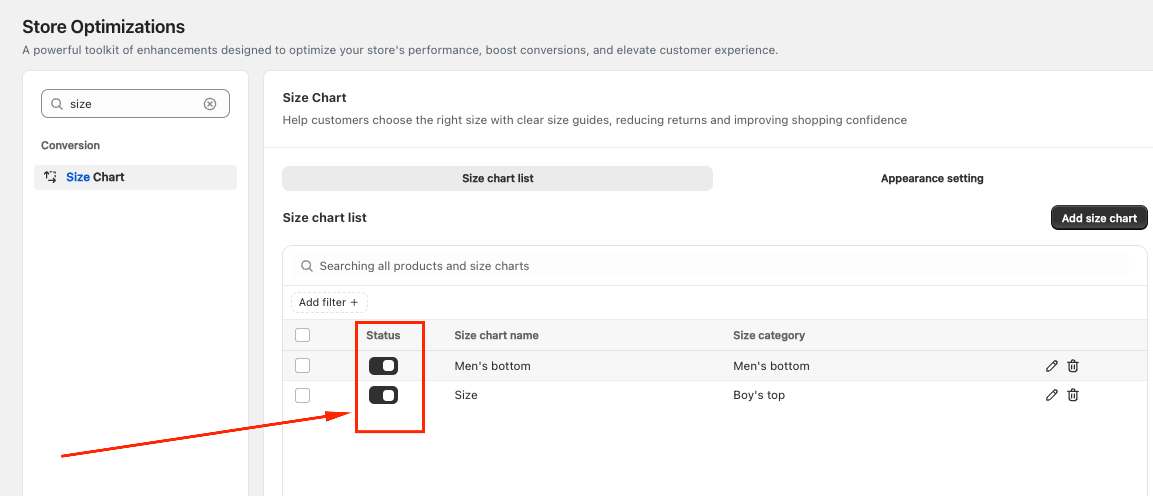
2. The Size chart has not been activated
Navigate to Store Optimizations → Size Chart and check if the Size Chart you created was activated:
3. The Size Chart widget has not been added to the Product page
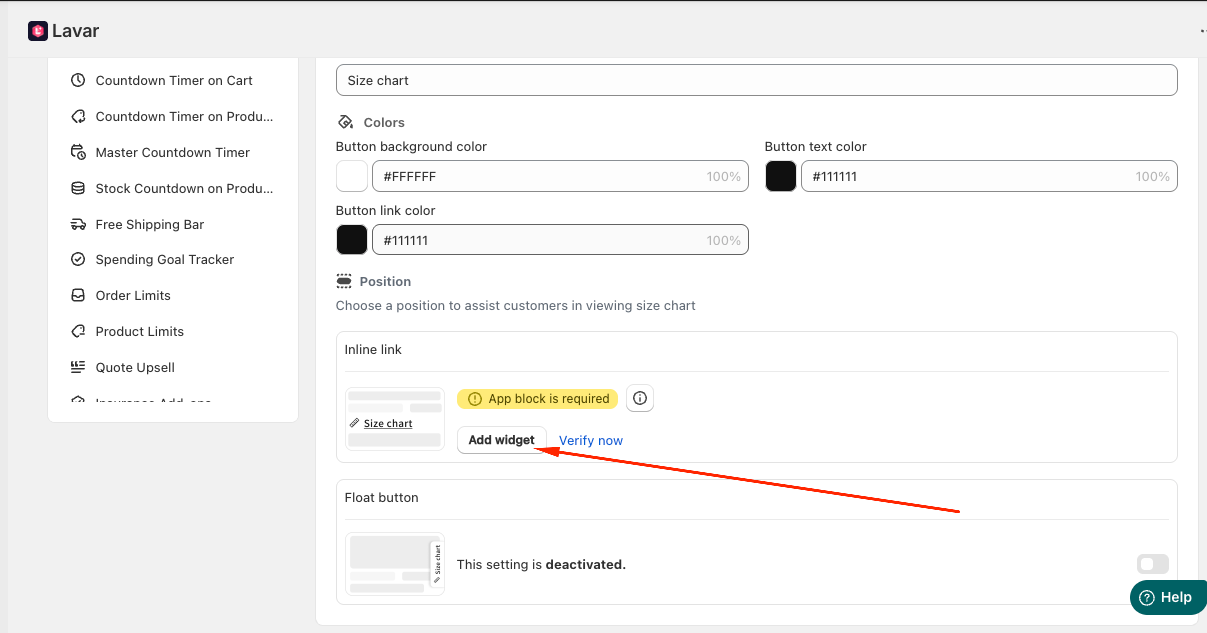
If you choose the Size Chart as Inline link, it requires an app block to be added in the Theme Editor.
Please go to Store Optimizations → Size Chart → Appearance setting → Add Widget:
You will be directed to the Theme Editor page. Then you can move the Size chart to the position you want and click Save:
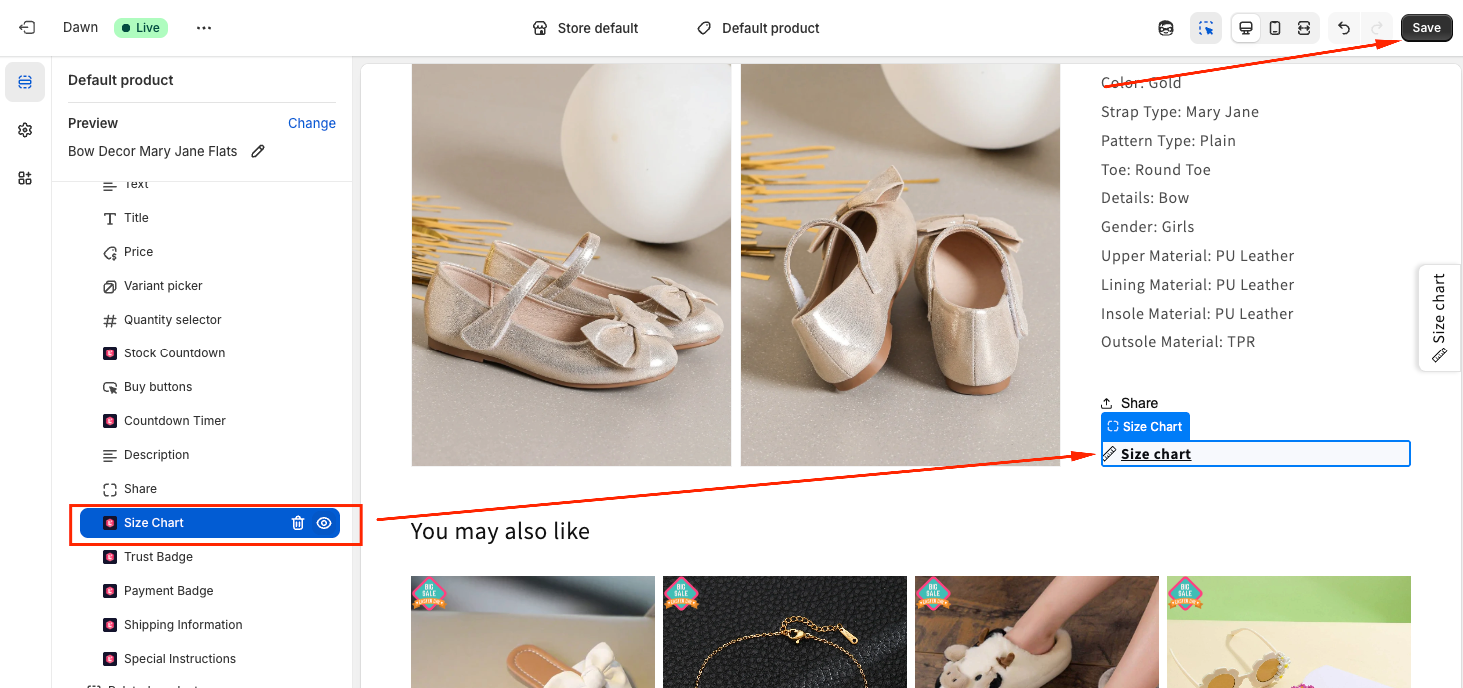
After setup, return to the app and click Verify Now to confirm the app block was added correctly.
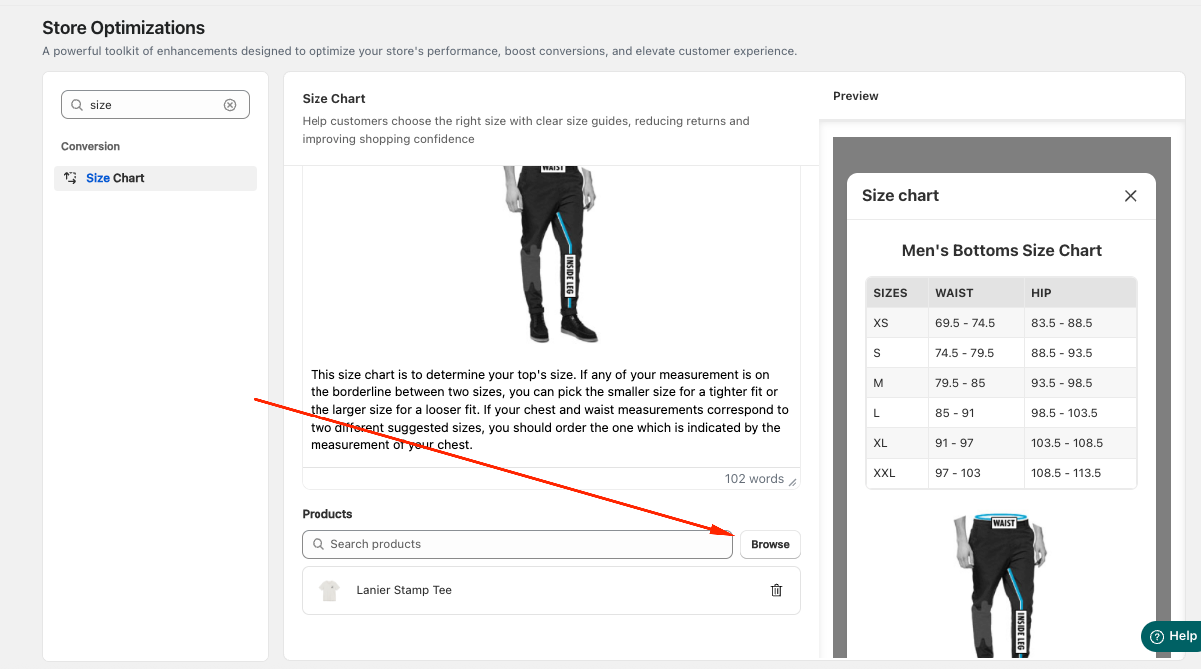
4. The Size Chart is applied to specific products only
If you selected specific products for the Size Chart, please make sure the product you are viewing is included in the selected list:
If you have checked the settings above and the Size Chart still does not appear, please contact support@lavar.app or submit a ticket here for further assistance.
Was this article helpful?
That’s Great!
Thank you for your feedback
Sorry! We couldn't be helpful
Thank you for your feedback
Feedback sent
We appreciate your effort and will try to fix the article