If your Product Badges are not displaying on the storefront, please check the following possible reasons:
1. The Lavar app embed is not enabled
Go to Online Store → Theme Editor → App Embedded to check if the Lavar App is enabled:
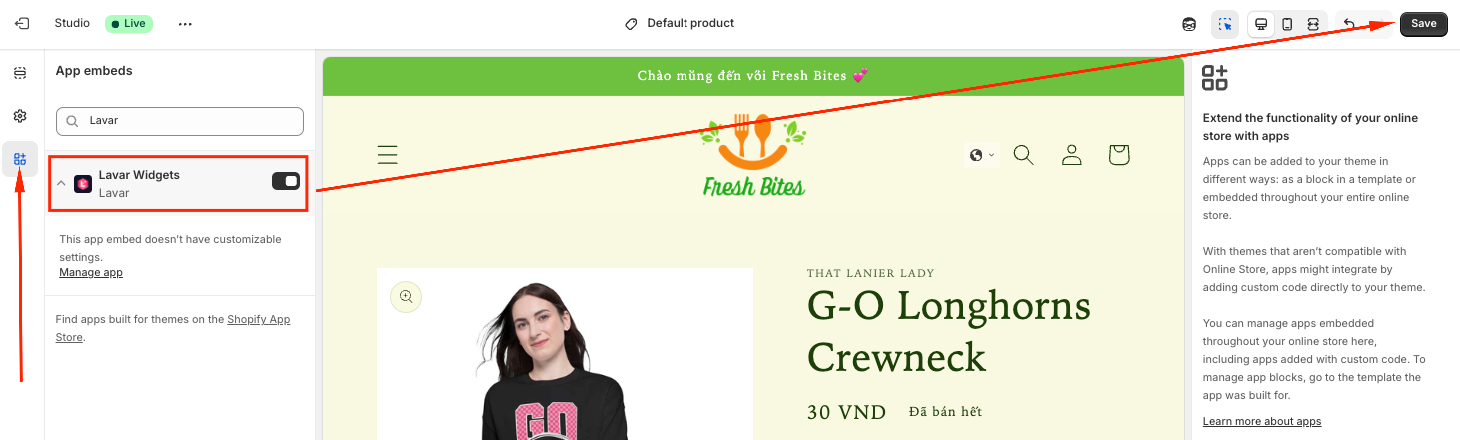
Please refer to this article for detailed instructions.
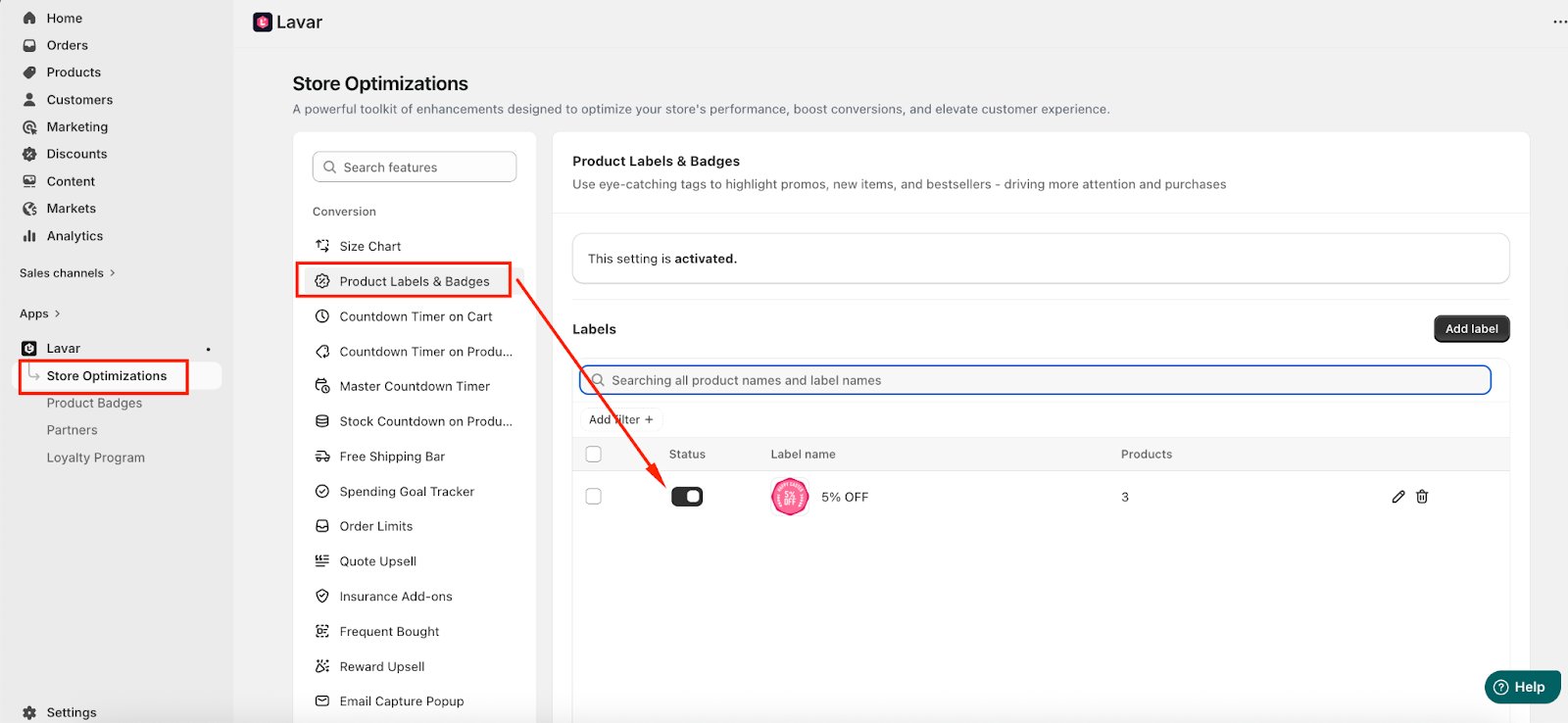
2. The Product Badges feature is not activated
Check that the Product Badges status is activated in Lavar → Store Optimizations → Product Badges on Product page:
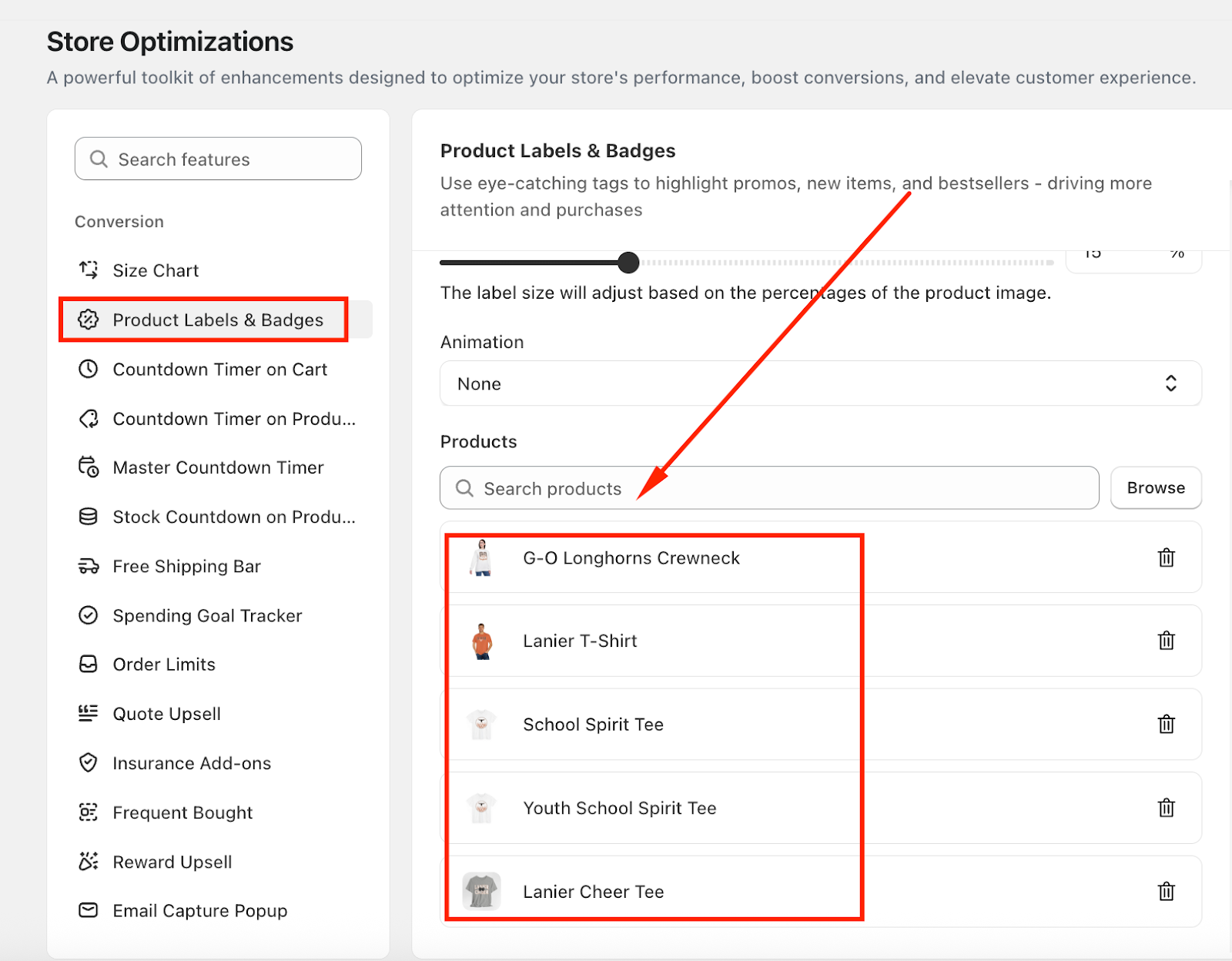
3. The badge is applied to specific products only
Please ensure that the product you’re viewing is included in the selected list:
If you have checked all the settings above and the Product Badges still do not appear, it could be related to your theme configuration, as some themes use custom product card layouts that may prevent badges from displaying correctly on collection pages or product grids.
No worries — our Development team can help review the theme settings and ensure the Product Badges display properly. Please feel free to reach out to us at support@lavar.app or submit a ticket here for further assistance.
Was this article helpful?
That’s Great!
Thank you for your feedback
Sorry! We couldn't be helpful
Thank you for your feedback
Feedback sent
We appreciate your effort and will try to fix the article