If your Sales Pop-up is not showing on the storefront, it may be caused by one of the following reasons:
1. The Lavar app embed is not enabled
Go to Online Store → Theme Editor → App Embedded to check if the Lavar App is enabled:
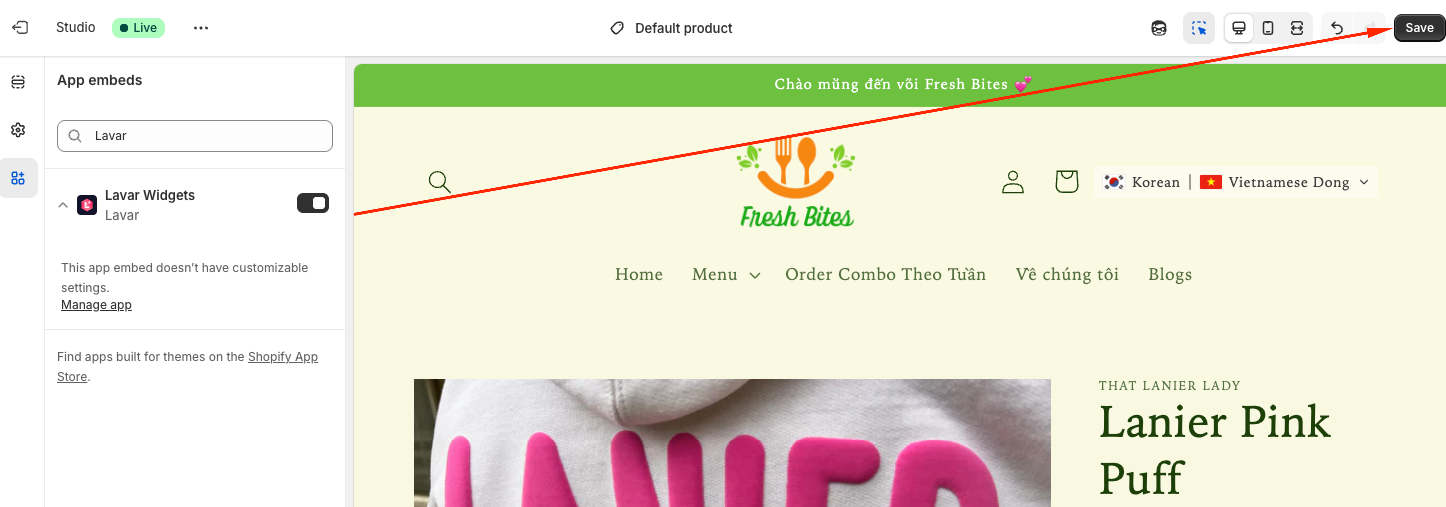
Please refer to this article for detailed instructions.
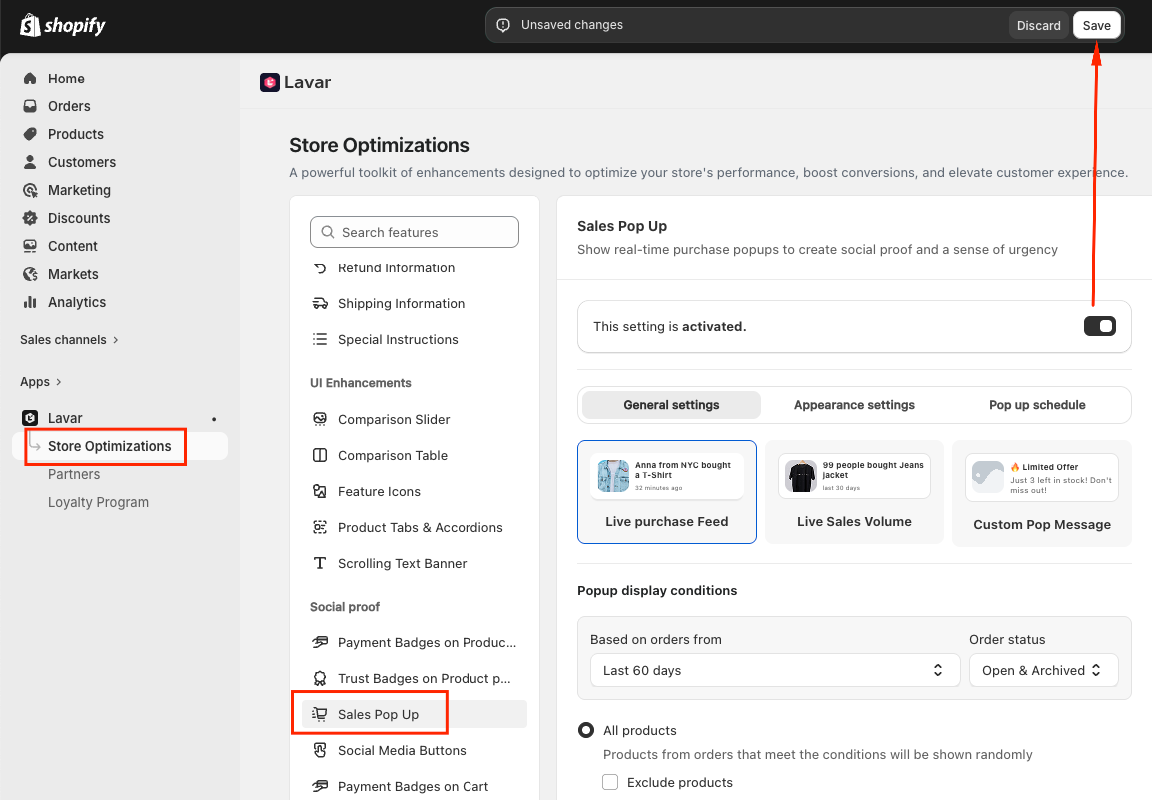
2. The Sales Pop-up feature is not activated
Check that the Sales Pop-up feature is activated in Lavar → Store Optimizations → Sales Pop-up:
3. No qualifying orders found
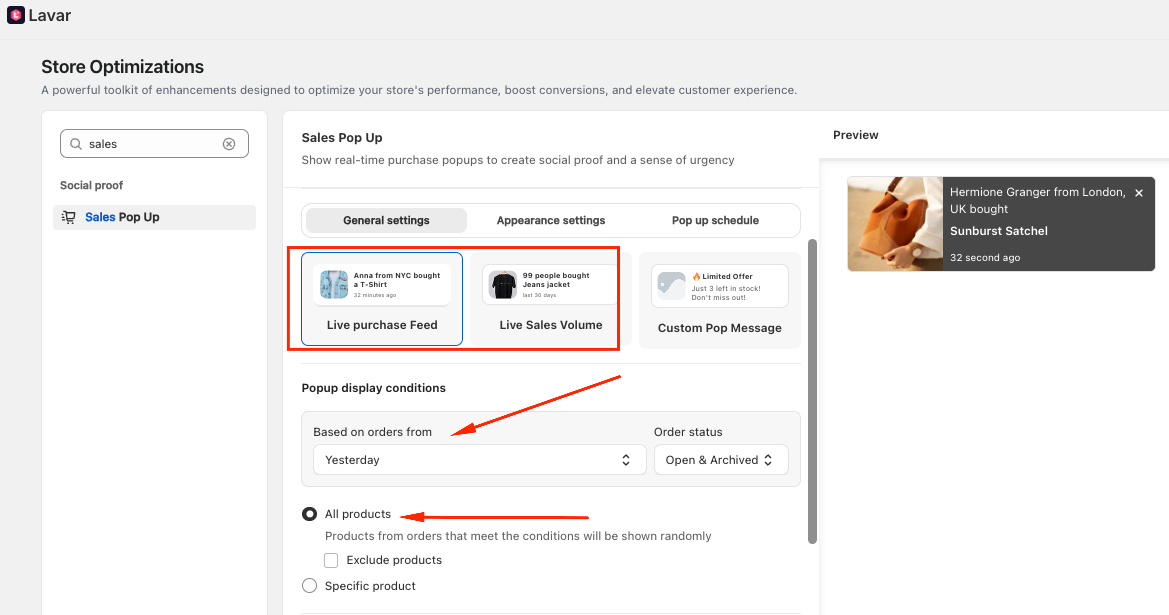
- If you are using Live Purchase Feed or Live Sales Volume, the app needs existing orders to generate the popup.
- Make sure the selected time range (Today, Yesterday, Last 7/30/60 days) and order status (Open/Archived) actually contain orders.
4. Popup display conditions are limited
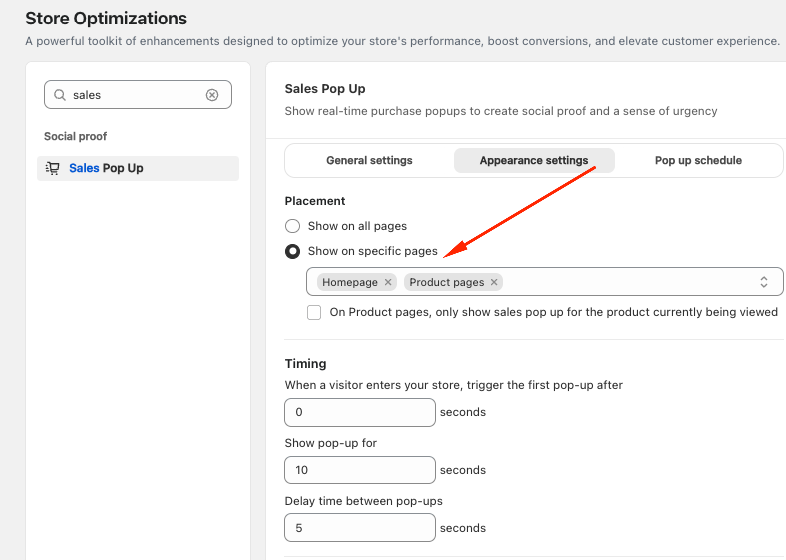
- If you selected Specific pages, the pop-up will only appear when customers visit those pages:
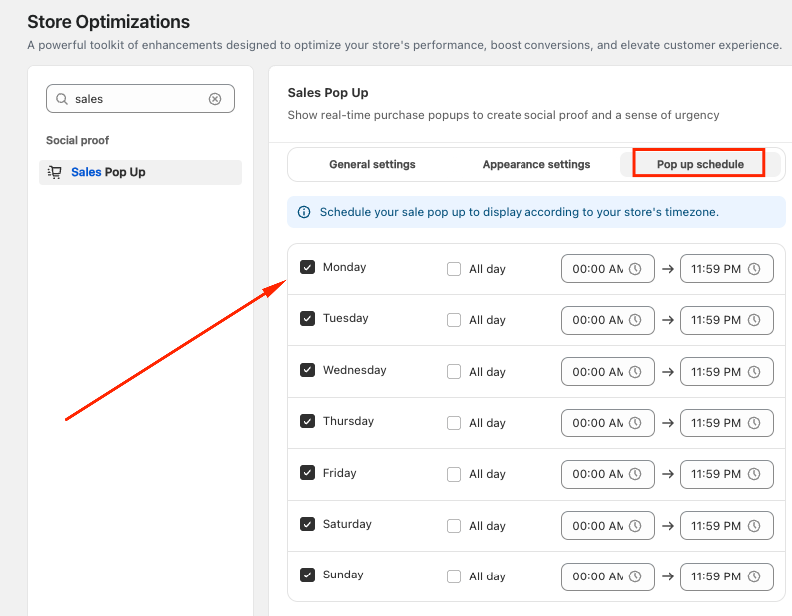
- Also, if you enabled the Schedule option, the pop-up will only appear during the selected days and time ranges.
For example, if the pop-up is scheduled to show only on certain days of the week or during specific hours, it will not display outside of that timeframe.
If you have checked all the settings above and the Sales Pop-up still does not appear, please contact support@lavar.app or submit a ticket here for further assistance.
Was this article helpful?
That’s Great!
Thank you for your feedback
Sorry! We couldn't be helpful
Thank you for your feedback
Feedback sent
We appreciate your effort and will try to fix the article