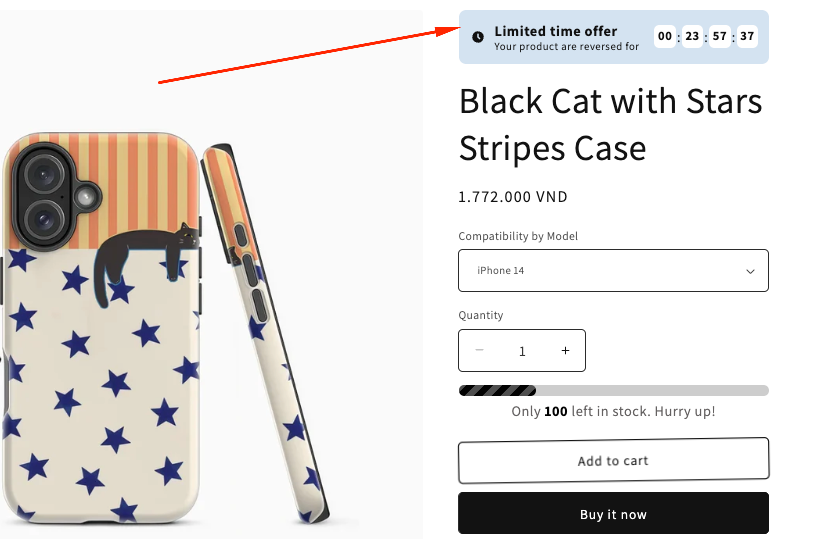
The Countdown Timer on the product page helps encourage faster purchase decisions by showing customers a limited time to complete their order. Displaying a visible timer can create urgency and motivate shoppers to act before the offer ends.
How the Countdown Timer Displays on the Product page
How to Set It Up
Step 1: Enable Lavar in Your Theme
Make sure the Lavar app embed is enabled in your Theme Editor first.
Please refer to this article for detailed instructions.
Step 2: Add Countdown Timer Widget on Product page
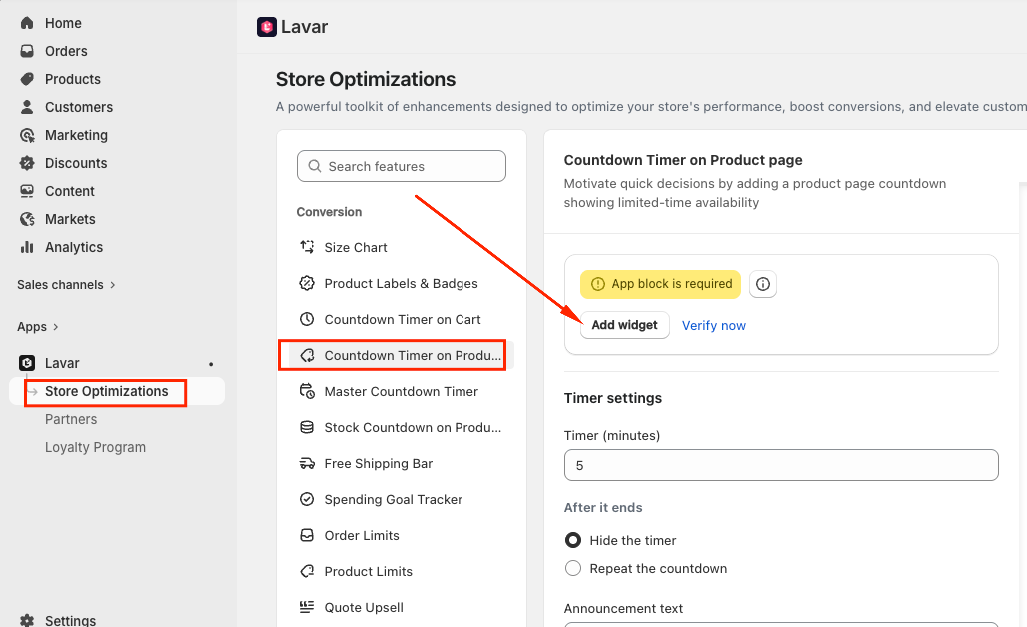
Open Lavar in your Shopify Admin.
Navigate to Store Optimizations → Countdown Timer on Product page
Click Add Widget.
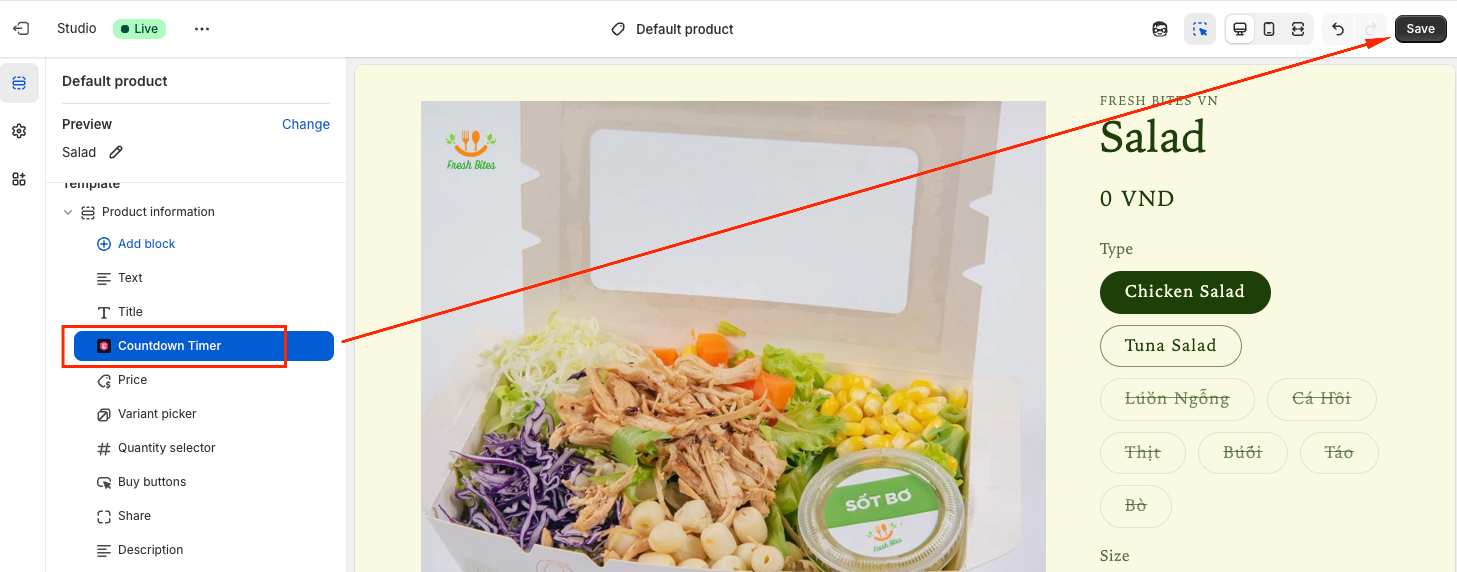
You will be directed to the Theme Editor page. Then you can move the Countdown Timer to the position you want and click Save:
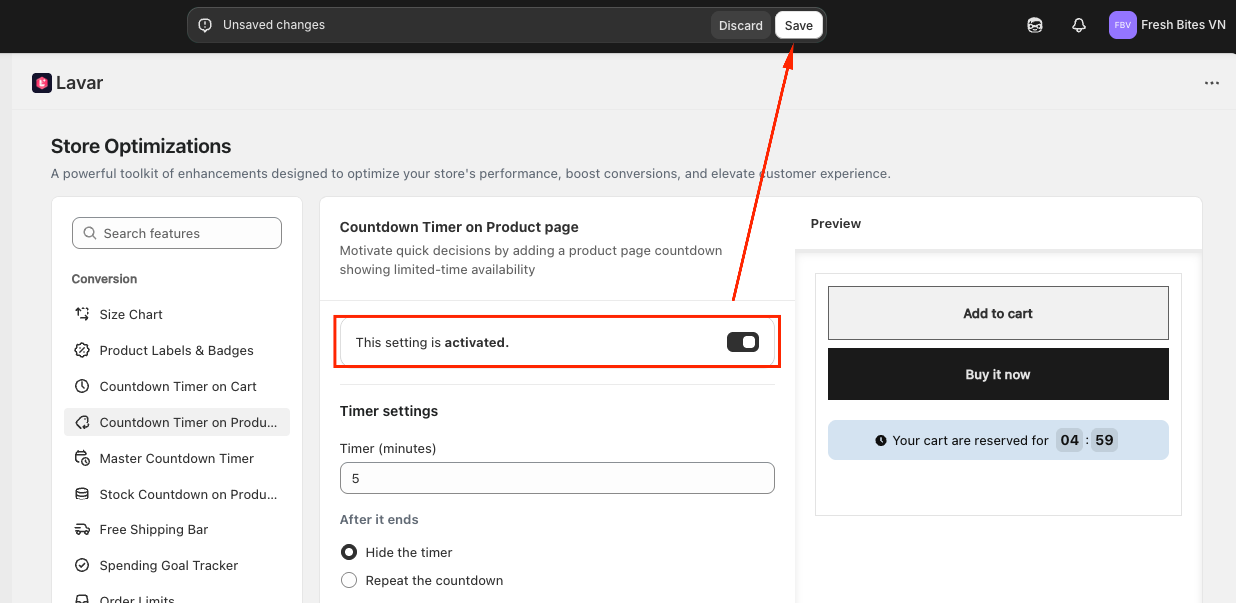
After setup, return to the app and click Verify Now to confirm the app block was added correctly. Then you can Activate the feature to see it on the storefront.
Step 3: Configure the Timer Settings
Enter the Timer duration (in minutes).
Choose what happens after the countdown ends: Hide the timer or Repeat the Countdown
Enter the Announcement Text displayed with the timer.
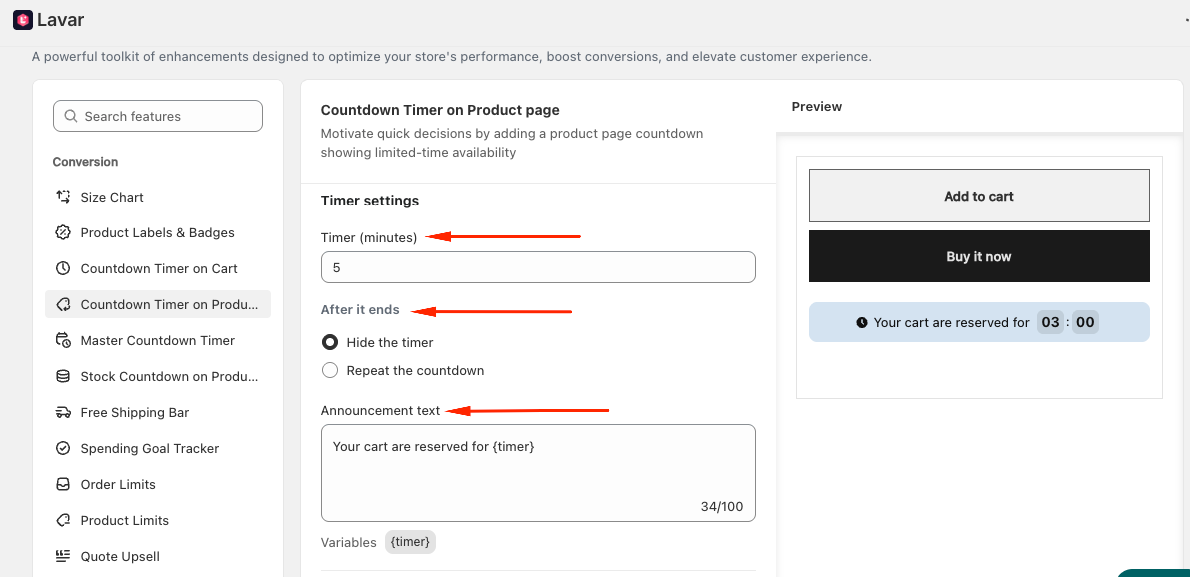
Note: The countdown timer starts automatically when customers first visit a product page and continues counting down as they browse other pages. This feature applies to all products and cannot be limited to specific items.
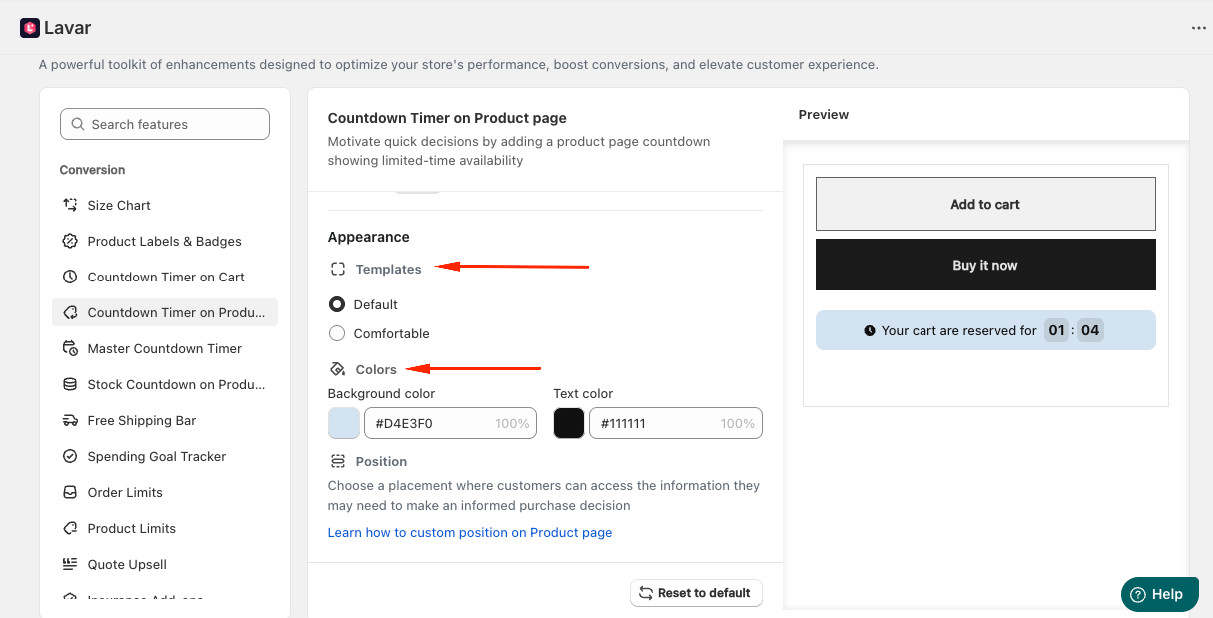
Step 4: Customize Countdown Timer Appearance
In the Appearance section, you can: Select a template and Apply colors for the Countdown Timer
If you need further assistance, please feel free to contact us at support@lavar.app or submit a ticket here.
Was this article helpful?
That’s Great!
Thank you for your feedback
Sorry! We couldn't be helpful
Thank you for your feedback
Feedback sent
We appreciate your effort and will try to fix the article