Social Media Buttons make it simple for visitors to access your social channels, helping you build a stronger community and increase brand visibility.
How the Social Media Buttons display on the storefront

How to Set It Up
Step 1: Enable Lavar in Your Theme
Make sure the Lavar app embed is enabled in your Theme Editor first.
Please refer to this article for detailed instructions.
Step 2: Activate the feature Social Media Buttons
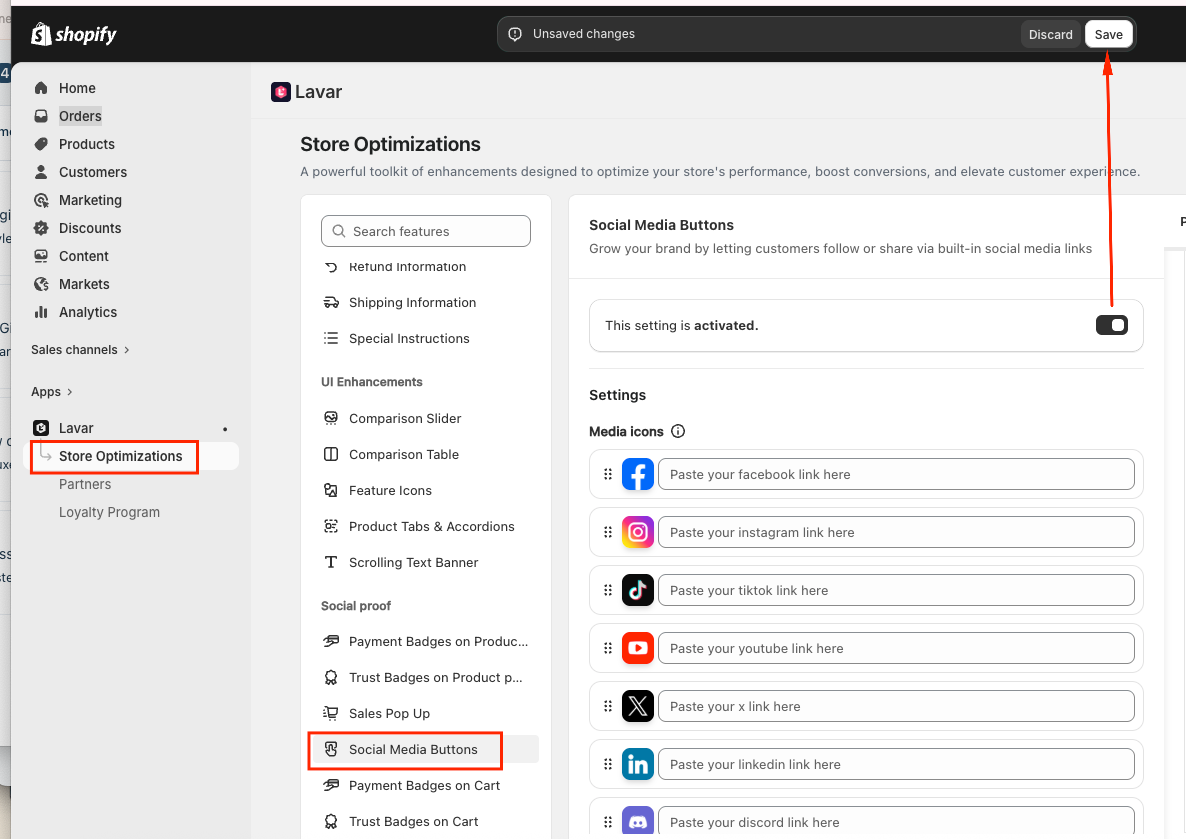
Open Lavar in your Shopify Admin
Navigate to Store Optimizations → Social Media Buttons
Click Activate feature and Save
Step 3: Configure the Social Media Buttons Settings & Appearance
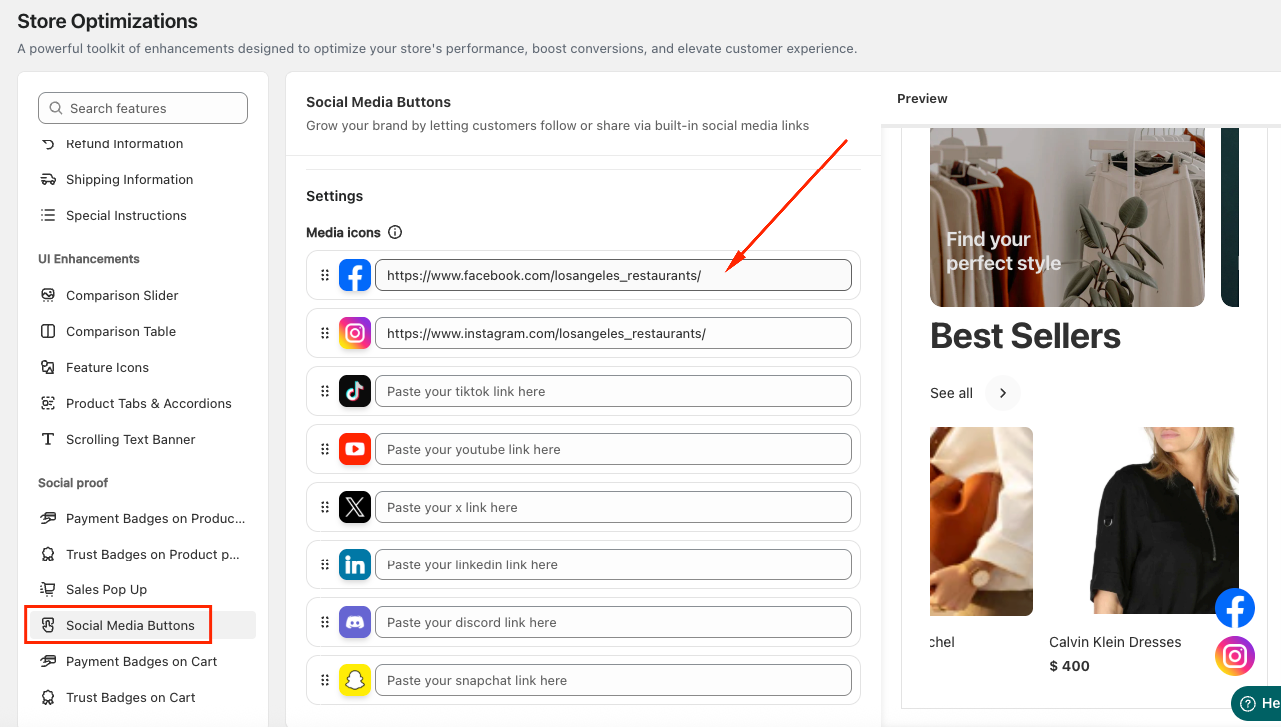
- In the Settings section, enter the URL links to your store’s social media pages (such as Facebook, Instagram, Twitter, or TikTok).
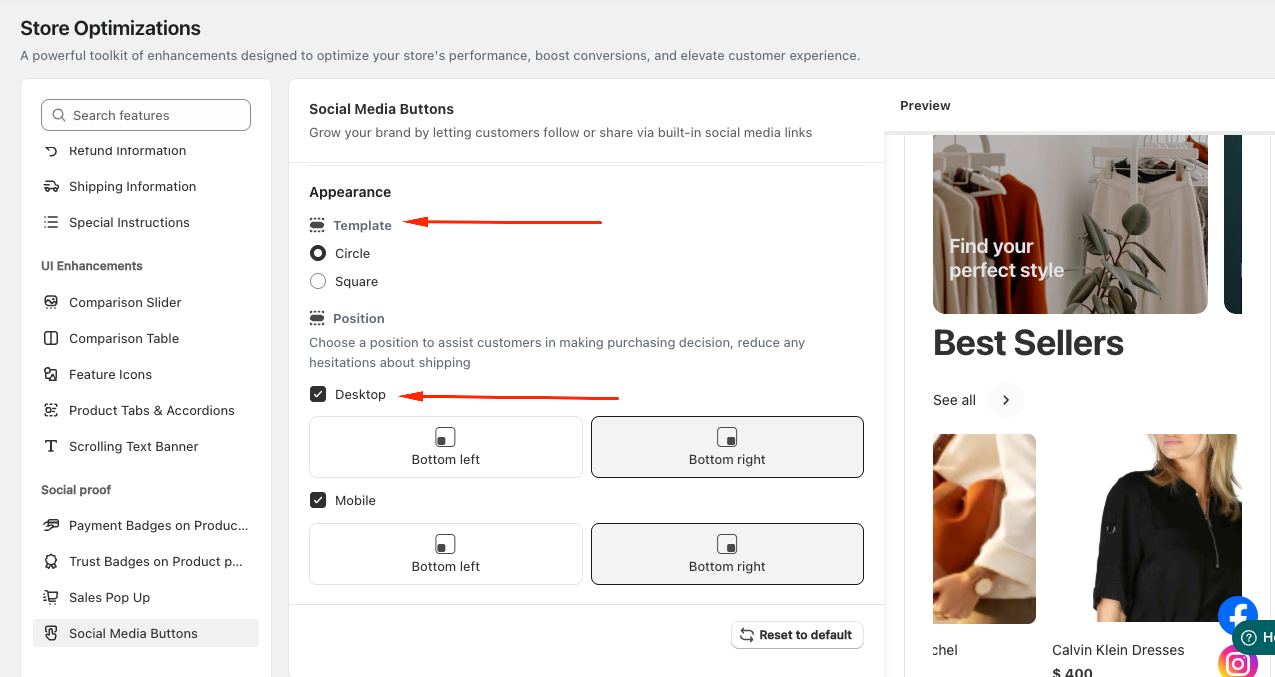
- In the Appearance section, choose the template style for your Social Media Buttons (Circle or Square) and set the display position on both Desktop and Mobile.
If you need further assistance, please feel free to contact us at support@lavar.app or submit a ticket here.
Was this article helpful?
That’s Great!
Thank you for your feedback
Sorry! We couldn't be helpful
Thank you for your feedback
Feedback sent
We appreciate your effort and will try to fix the article