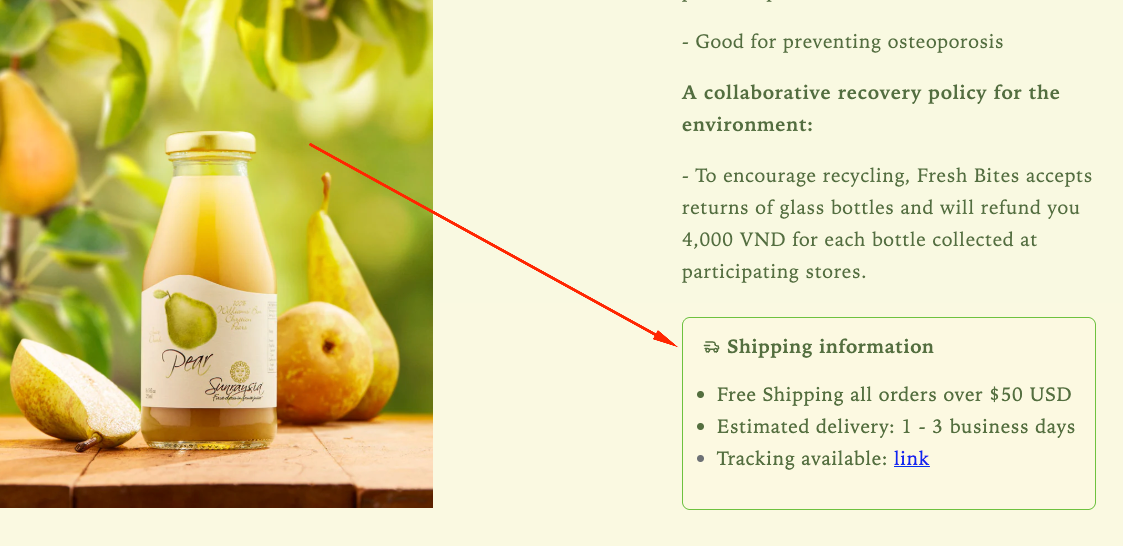
Display clear shipping details on the product page to inform customers about delivery timelines, shipping methods, or estimated costs. Providing this information upfront helps set the right expectations and improves customer confidence before purchase.
How the Shipping Information displays on the storefront
How to Set It Up
Step 1: Enable Lavar in Your Theme
Make sure the Lavar app embed is enabled in your Theme Editor first.
Please refer to this article for detailed instructions.
Step 2: Add the Shipping Information on Product page
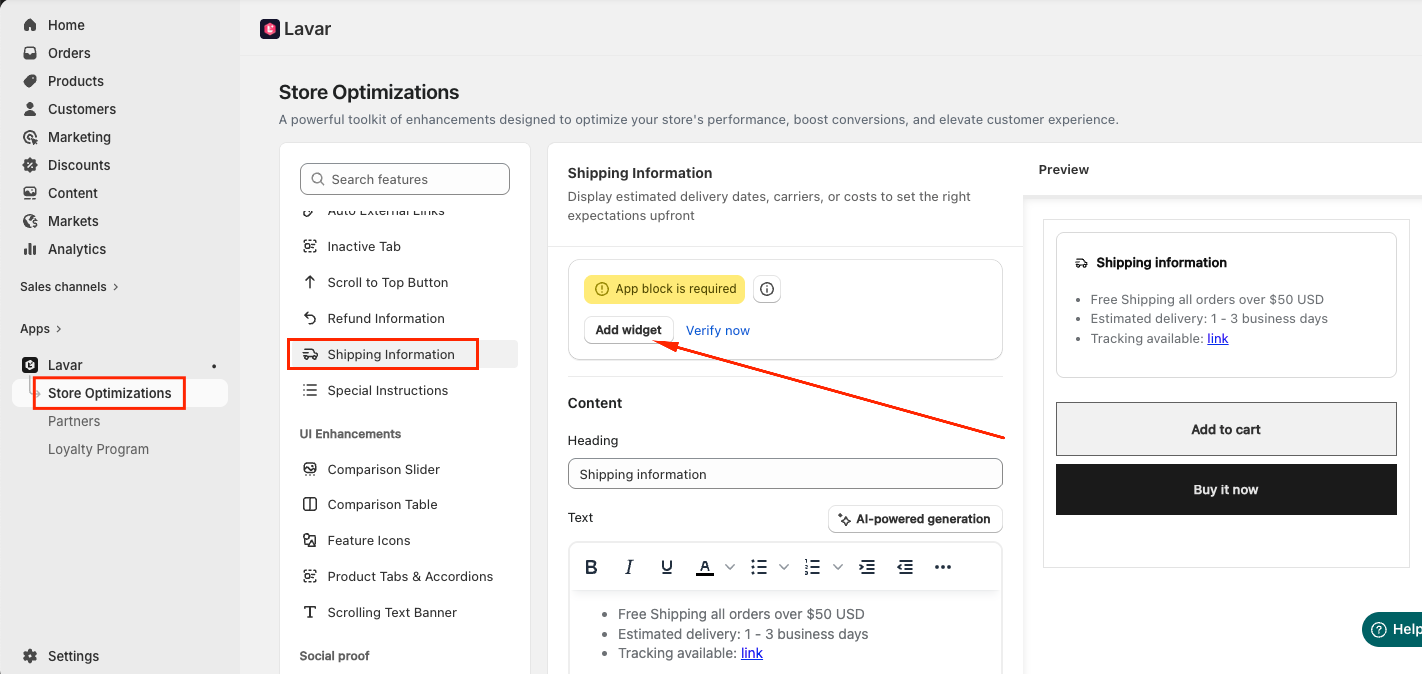
Open Lavar in your Shopify Admin.
Navigate to Store Optimizations → Shipping Information
Click Add Widget.
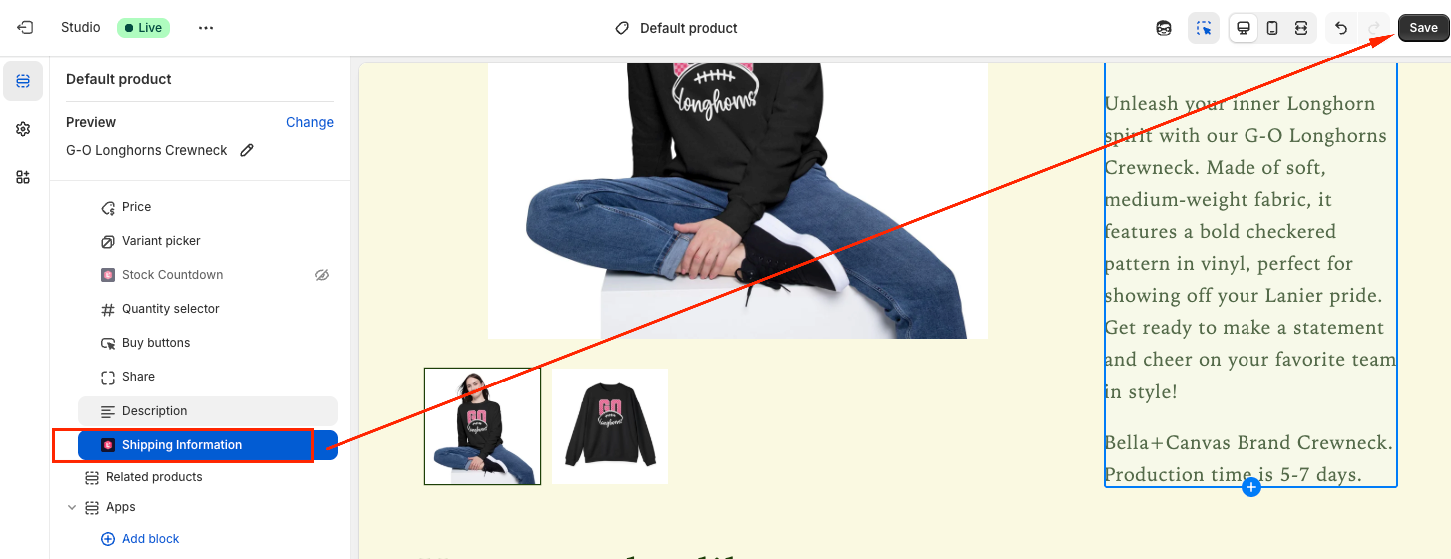
You will be directed to the Theme Editor page. Drag and place the Shipping Information block in your desired position and click Save:
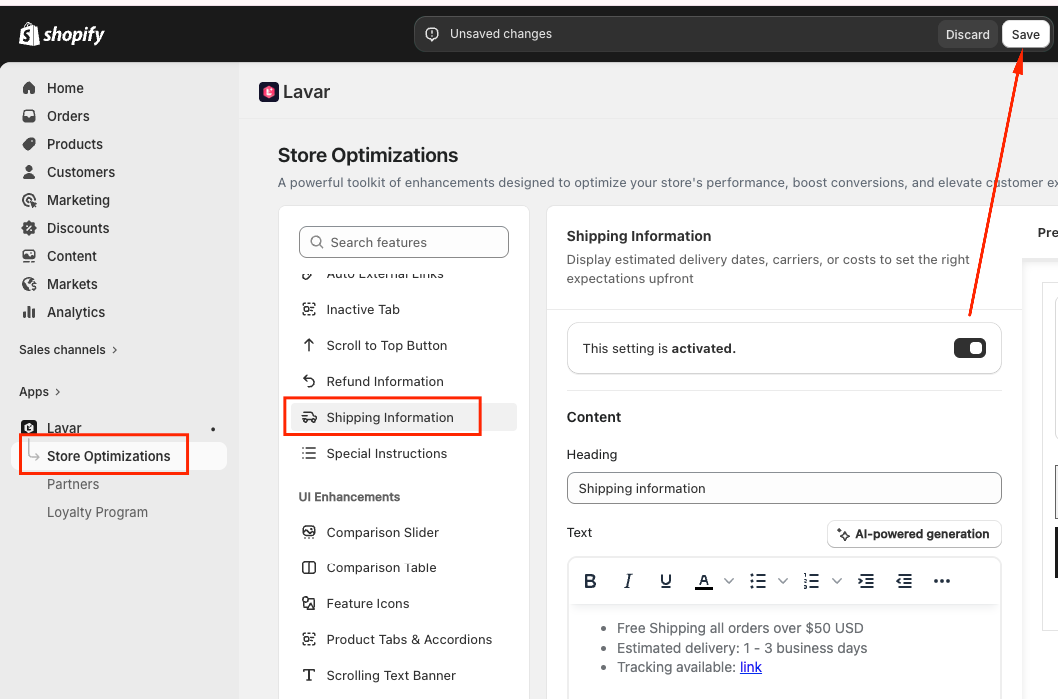
After setup, return to the app and click Verify Now to confirm the app block was added correctly. Then you can Activate the feature to see it on the storefront.
Step 3: Configure the Shipping Information Content and Appearance
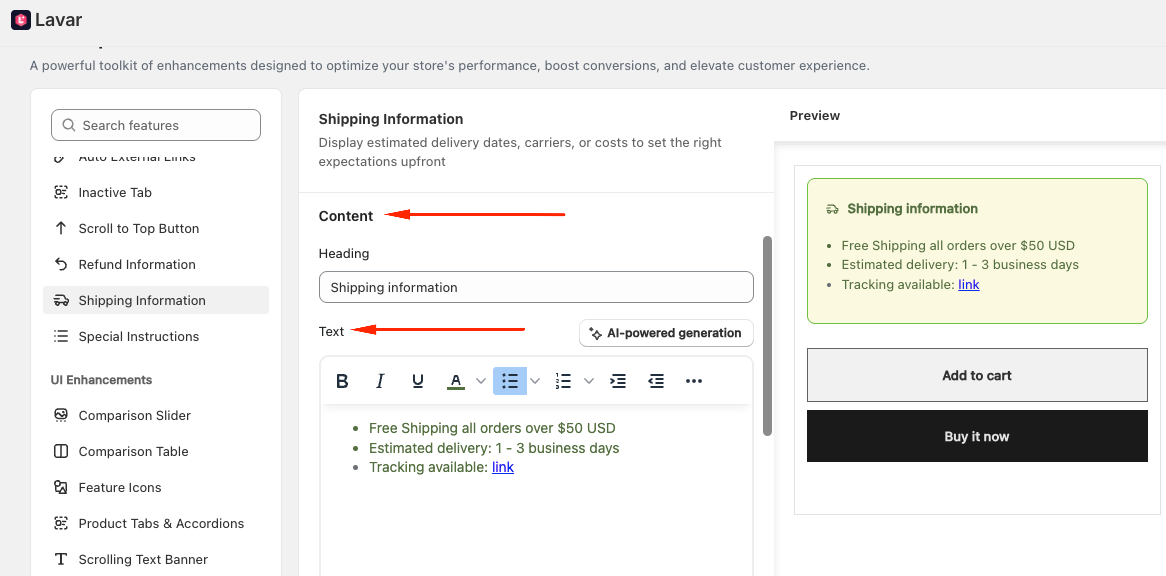
Enter the Heading and Text displayed with the Shipping Information:
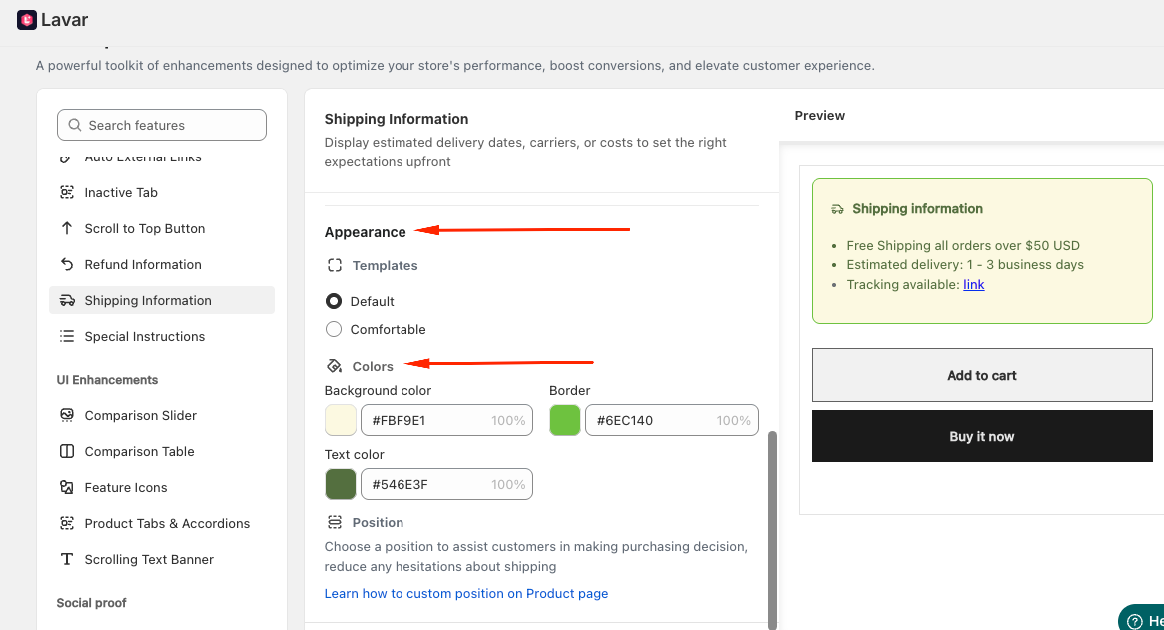
In the Appearance section, you can select a template and apply colors for the Shipping Information to match store design:
If you need further assistance, please feel free to contact us at support@lavar.app or submit a ticket here.
Was this article helpful?
That’s Great!
Thank you for your feedback
Sorry! We couldn't be helpful
Thank you for your feedback
Feedback sent
We appreciate your effort and will try to fix the article