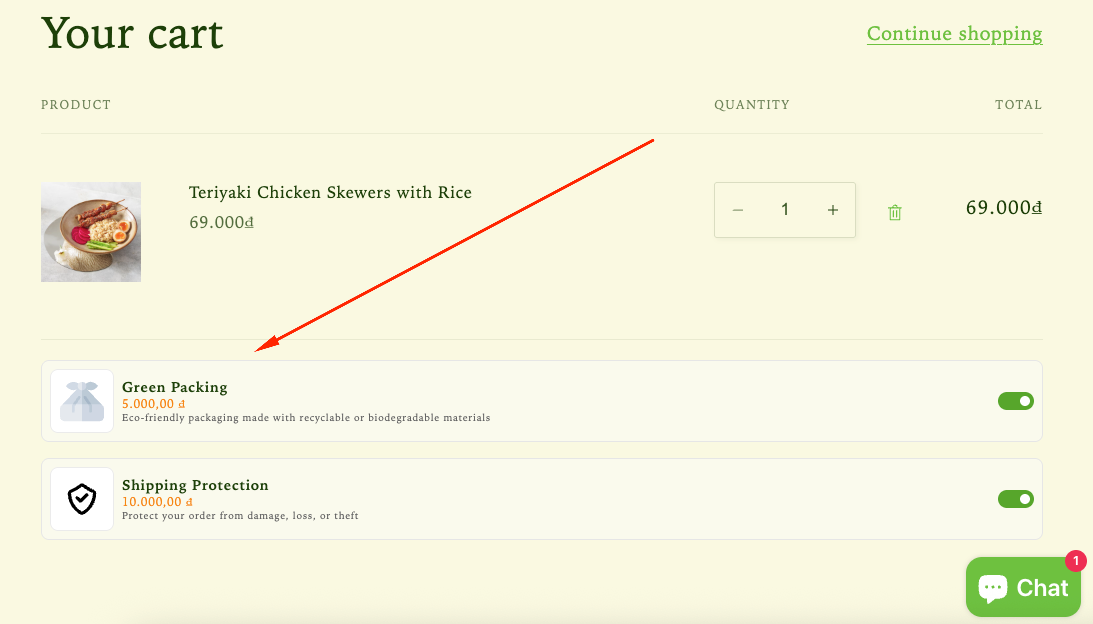
The Insurance Add-ons feature allows you to offer optional extras directly in the cart, such as shipping protection or gift wrapping. These add-ons help increase order value while giving customers additional purchase options before checkout.
How the Insurance Add-ons feature displays on the storefront
How to Set It Up
Step 1: Enable Lavar in Your Theme
Make sure the Lavar app embed is enabled in your Theme Editor first.
Please refer to this article for detailed instructions.
Step 2: Activate the Insurance Add-ons feature
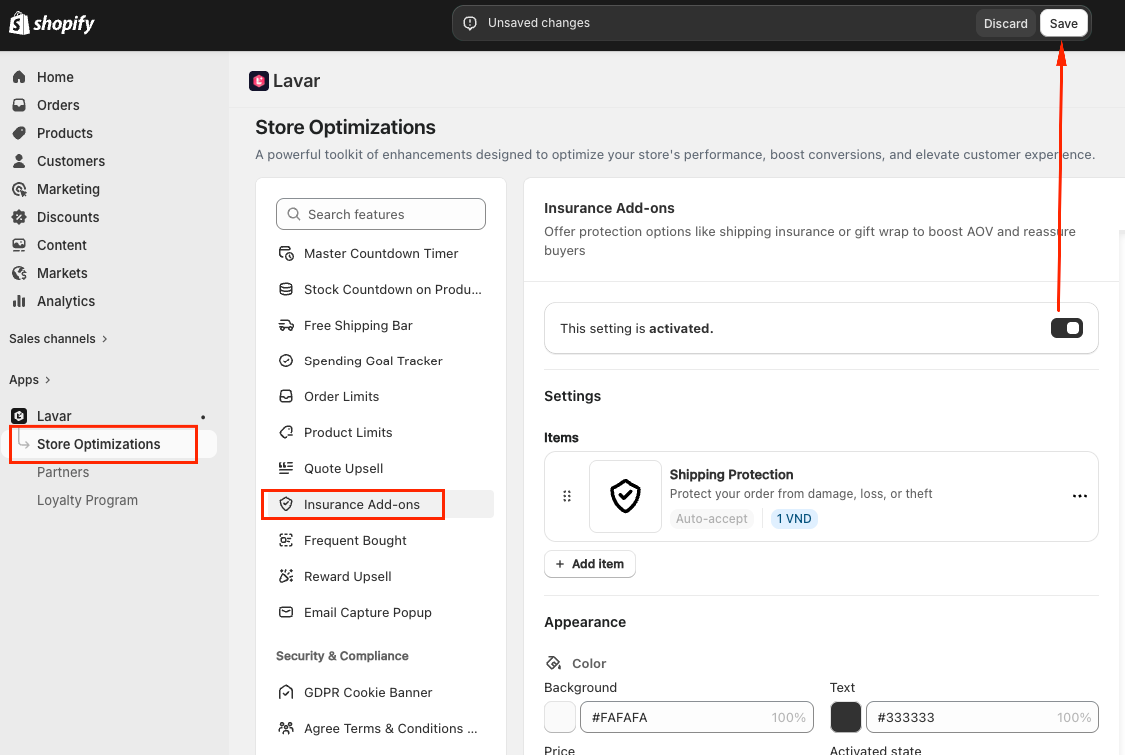
Open Lavar in your Shopify Admin
Navigate to Store Optimizations → Insurance Add-ons
Click Activate feature and Save
Step 3: Configure the Insurance Add-ons
In the Settings section, you can create add-on items that customers can select during checkout.
For each add-on item, you can customize:
Title — the add-on name displayed to customers
Description (optional)
Price
Image used to represent the add-on in the cart drawer
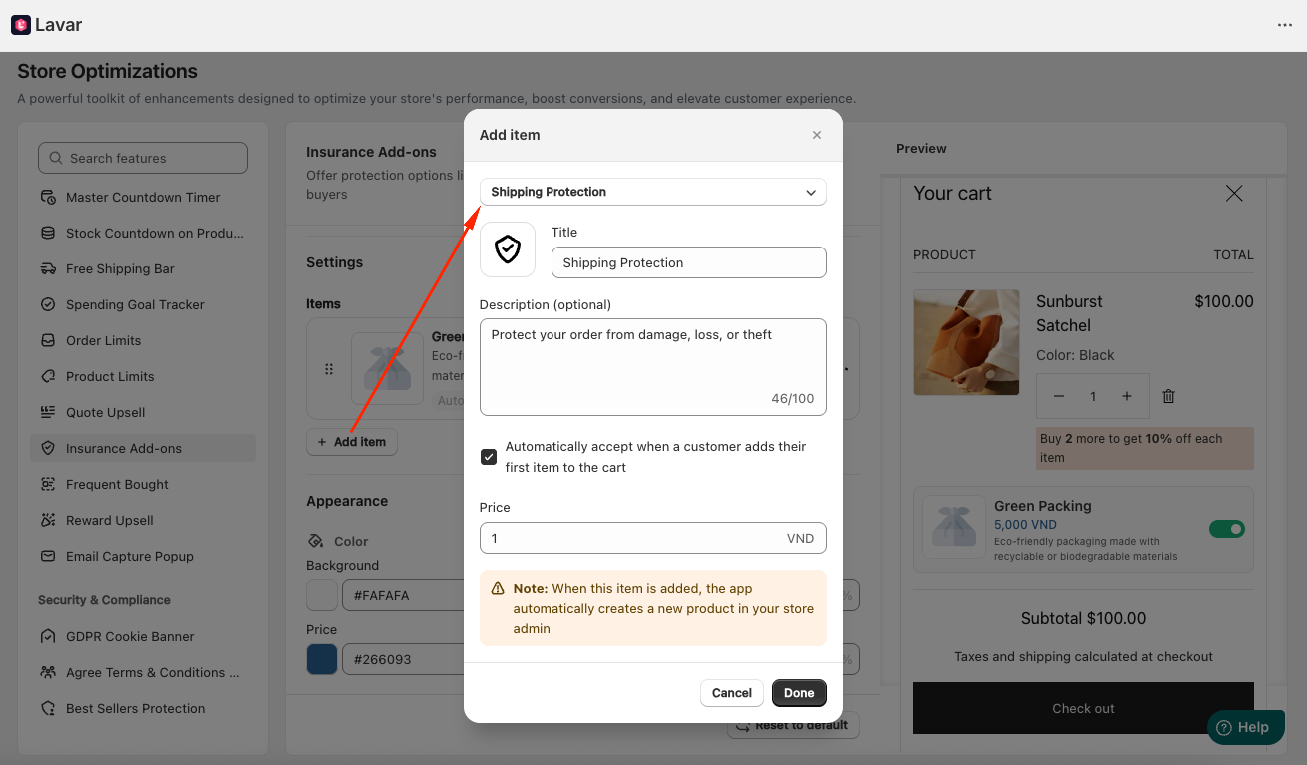
Lavar supports various add-on types, including:
Shipping Protection
Priority Processing
Extended Warranty
Expedited Shipping
Mystery Product
Gift Wrapping
Green Packaging
Donate for a Cause
eBook
Note: When customers select an add-on item, Lavar automatically creates a corresponding product in your Shopify Admin to ensure accurate checkout processing and order tracking.
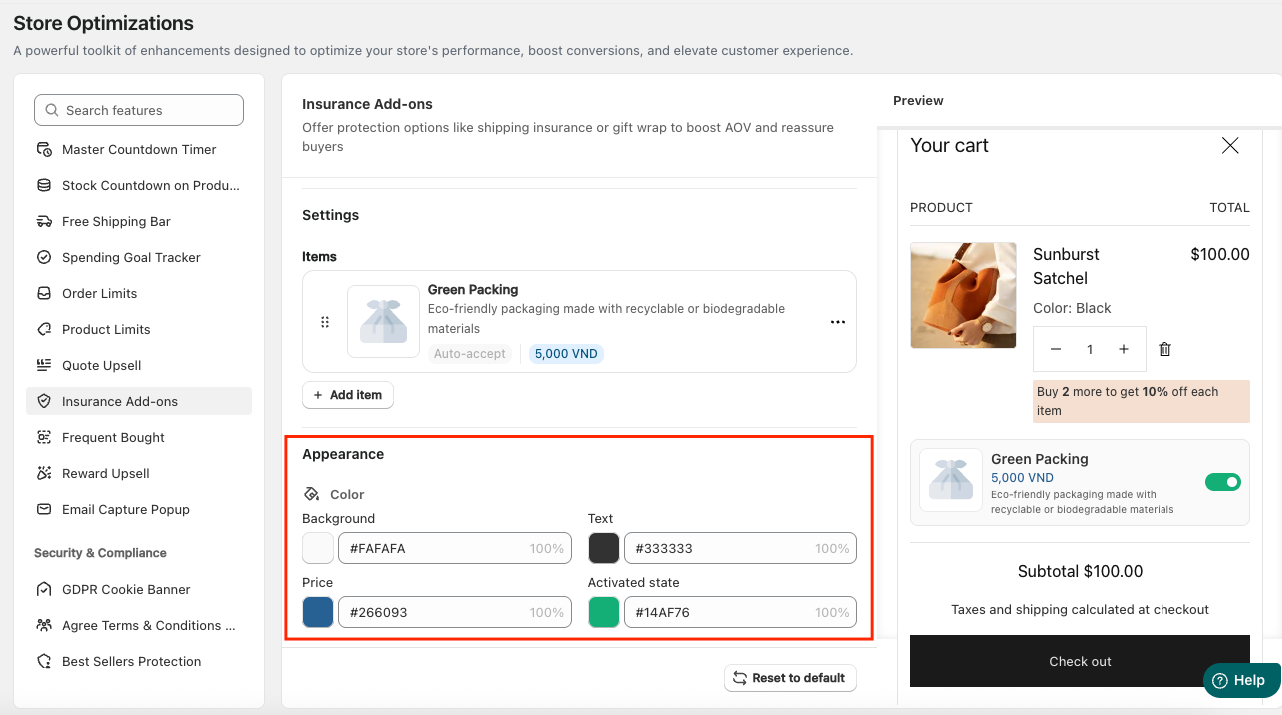
Step 4: Customize the Insurance Add-ons Appearance
In the Appearance section, you can Apply Colors to match the store design.
If you need further assistance, please feel free to contact us at support@lavar.app or submit a ticket here.
Was this article helpful?
That’s Great!
Thank you for your feedback
Sorry! We couldn't be helpful
Thank you for your feedback
Feedback sent
We appreciate your effort and will try to fix the article