The Auto External Links feature automatically opens external links in a new browser tab. This ensures customers remain on your store while exploring other pages, helping reduce bounce rates and retain traffic.
How to Set It Up
Step 1: Enable Lavar in Your Theme
Make sure the Lavar app embed is enabled in your Theme Editor first.
Please refer to this article for detailed instructions.
Step 2: Activate the feature Auto External Links
Open Lavar in your Shopify Admin
Navigate to Store Optimizations → Favicon Cart Count
Click Activate feature and Save
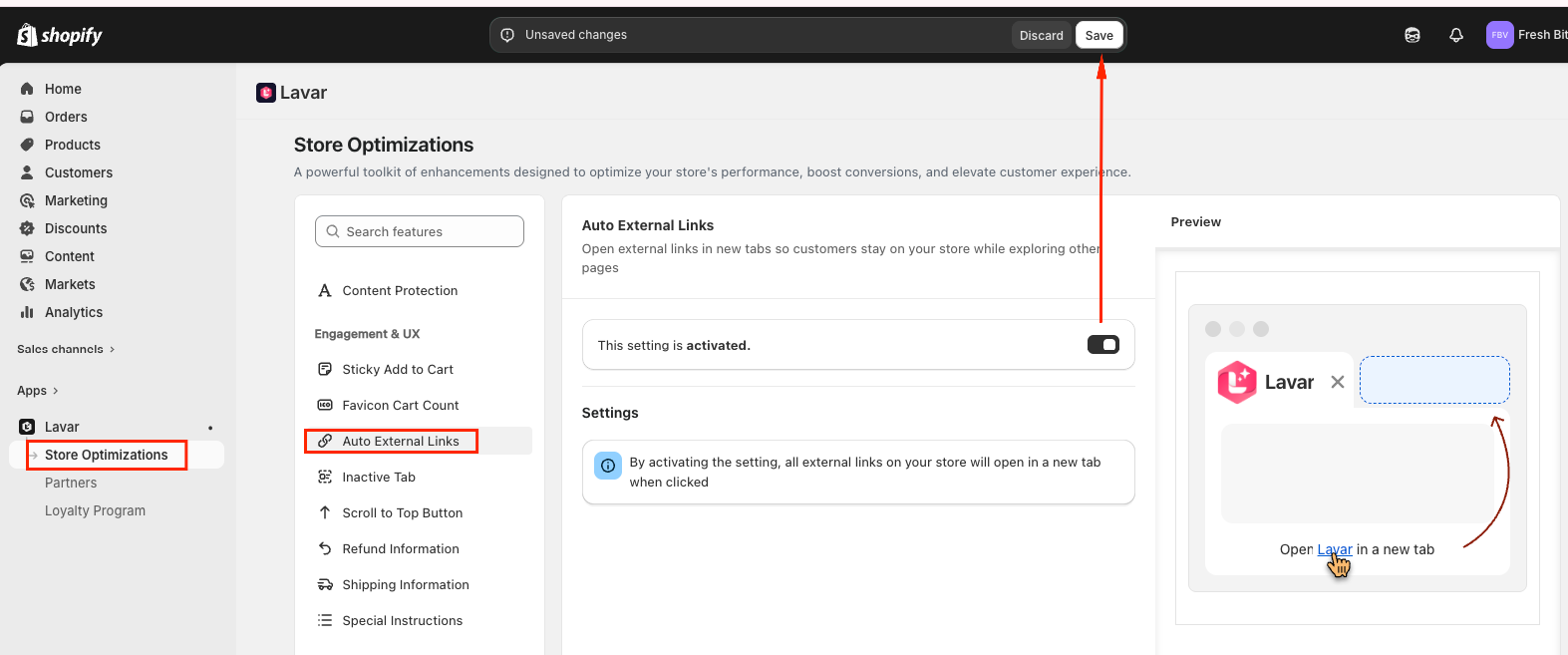
Note: By activating the setting, all external links on your store will open in a new tab when clicked
If you need further assistance, please feel free to contact us at support@lavar.app or submit a ticket here.
Was this article helpful?
That’s Great!
Thank you for your feedback
Sorry! We couldn't be helpful
Thank you for your feedback
Feedback sent
We appreciate your effort and will try to fix the article